One account, four doors
Everyone signs into the same company, but each kind of person gets a screen built for their job. Nobody sees more than their role allows (see roles in the manual).
📱 Techs: the phone app
Today's route, clock-in, check-in, readings, photos, repairs, the truck, messages. Android app or web app.
routesplash.com/app💻 The office: manager portal
Customers, scheduling, requests, alerts, billing, profit, payroll, team and settings, on a computer screen.
routesplash.com/manager🏠 Homeowners: customer portal
Their service reports and photos, water history, invoices, AutoPay, requests, messages, refer a friend.
routesplash.com/portal🧱 Contractors: directory & jobs
A free listing pool companies can find, and a sign-in for the job teams they are part of.
routesplash.com/contractorsA day on RouteSplash
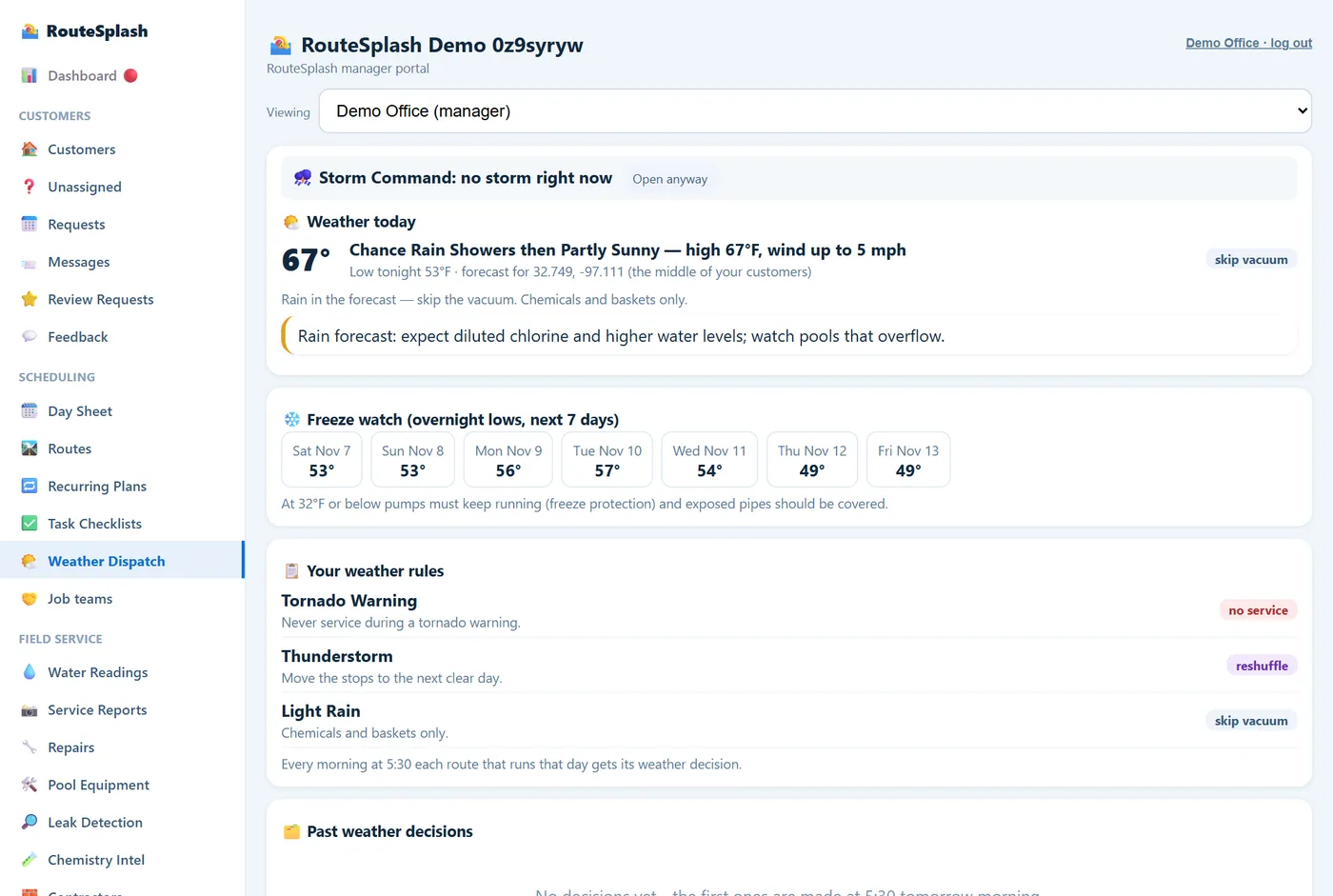
15:30 a.m. — the weather call is made
Before anyone is awake, RouteSplash checks the forecast for your area against your rules ("below 40°F = chemicals only", "rain = skip the vacuum") and locks in the day's decision for each route. In severe weather, Storm Command ranks your pools by flood, debris and equipment risk and offers a one-click recovery day.
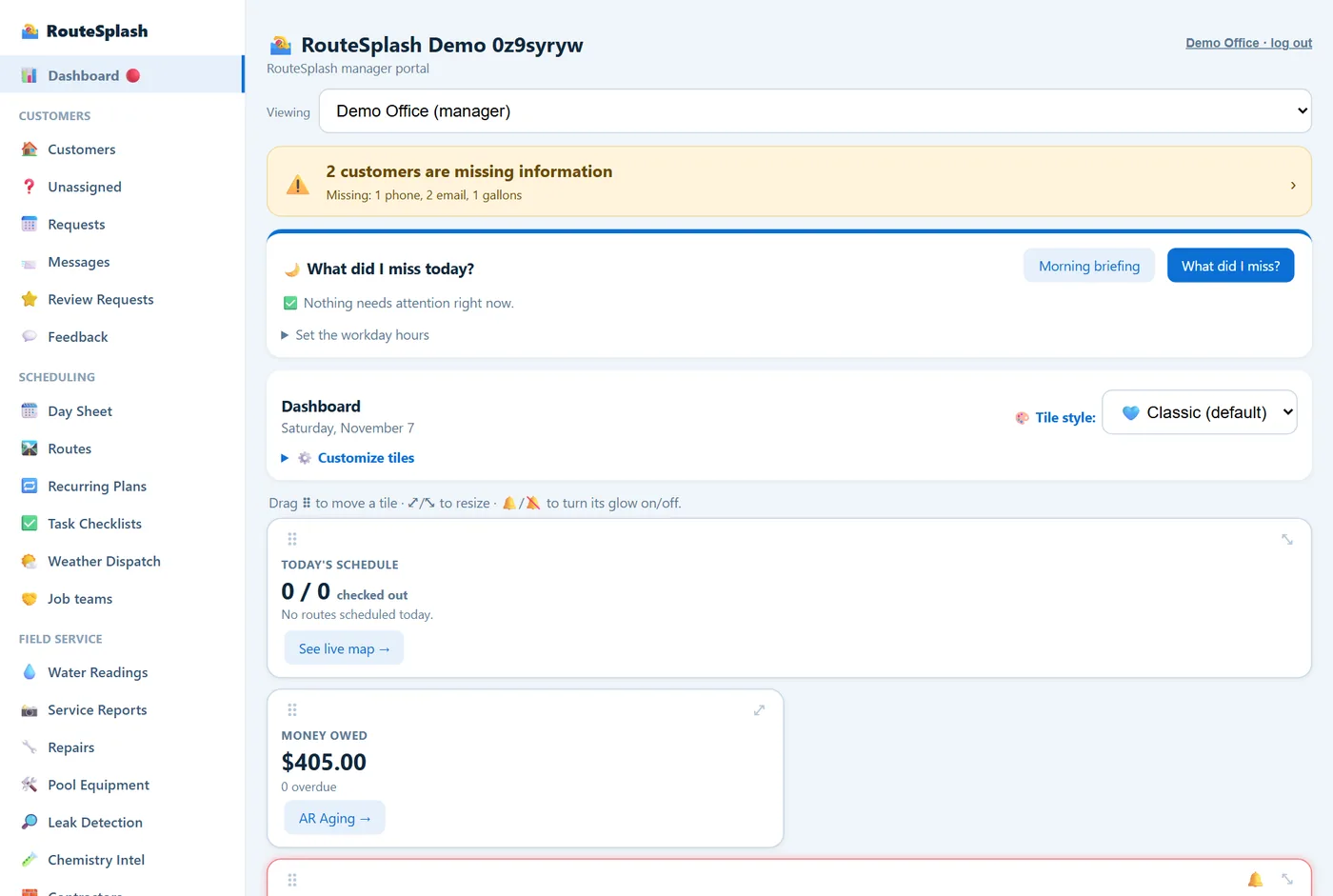
27:30 a.m. — the office reads the Morning Briefing
The Dashboard opens on one card that says what needs attention today: techs not clocked in, water problems nobody handled, waiting requests, unanswered homeowner messages, overdue invoices, failed AutoPay, quotes with no answer, customers likely to call back. Each line links to the page that fixes it. Below it are your dashboard tiles, arranged the way you like.
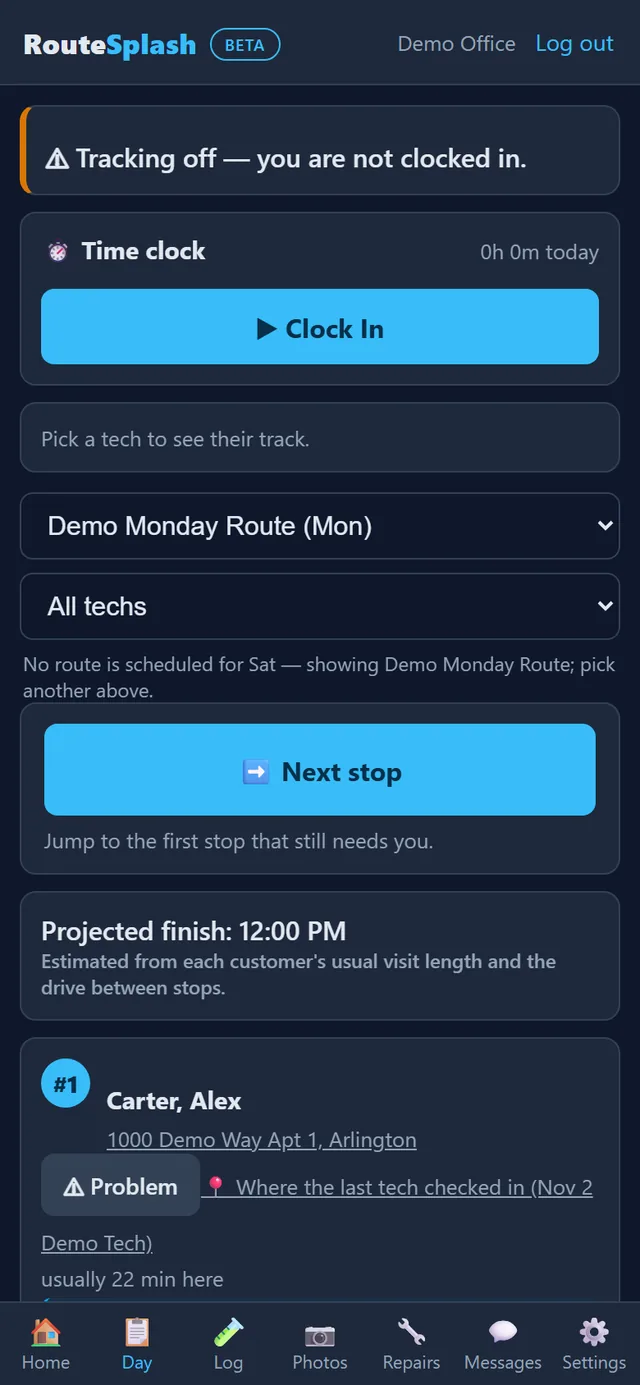
38:00 a.m. — the tech clocks in and picks a truck
On the phone, the tech opens the Day tab, clocks in and picks a truck number. Trucks marked broken or in the shop cannot be picked. The last driver's hand-off note is right there. From now until clock-out, the tech's location shows on the office map; the moment they clock out, it stops.
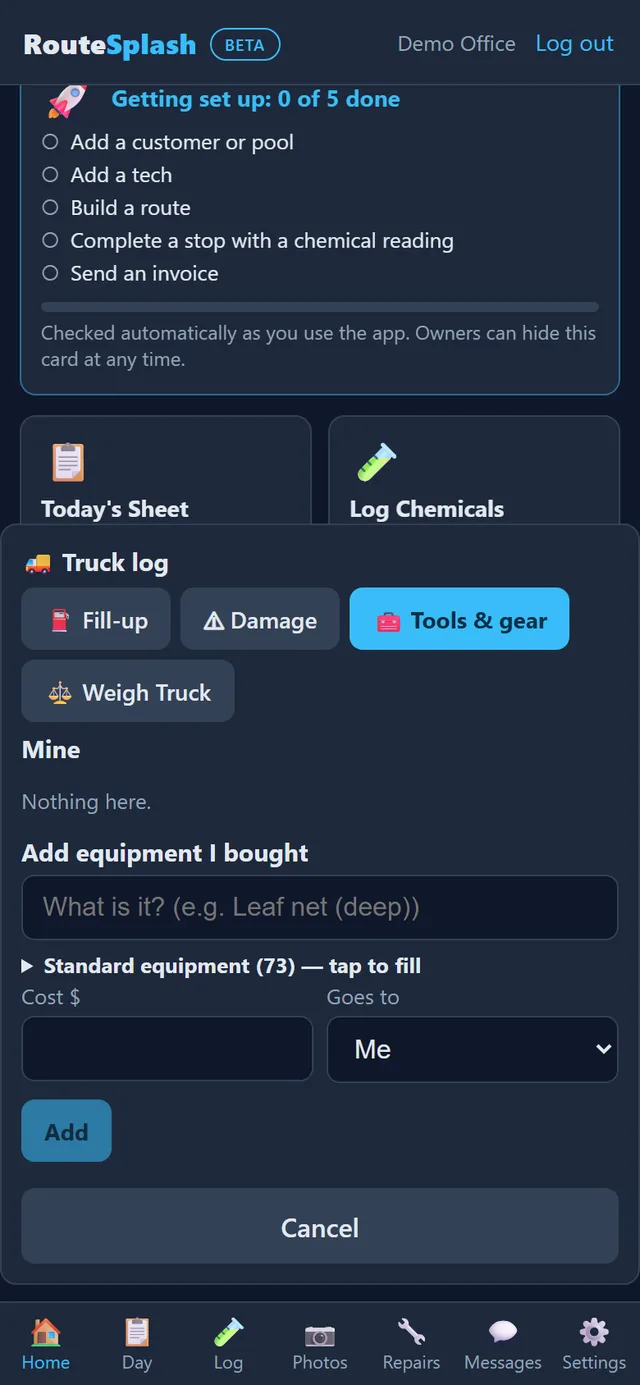
The tech weighs the chemicals on the truck. At night they weigh them again, and the office sees what left the truck against what was logged on pools.
48:15 a.m. — the day sheet
Today's route is listed in driving order with a projected finish time. Each stop shows the gate code and access notes, the dog and call-ahead flags, any property alerts, and Pool Detective notes built from that pool's own history: "chlorine use climbing", "pump overdue for service", "open repair". Nothing is generic.
The tech taps Check In at the gate. The time and GPS location are recorded; if the homeowner opted in, they get a "your tech has arrived" text when the company's texting account and switches are enabled. Customer emails have their own Settings switches and are off by default.
5At the pool — readings, chemicals, checklist, photos
The tech tests the water and logs the readings (by typing, by scanning the test strip, or by voice). The LSI badge shows whether the water is balanced, and Add for balance says exactly what to add from the chemicals the company carries. The tech ticks the stop's checklist as they go; a filter or salt-cell clean that is due has already been added to it. Before leaving they take photos, write a note, collect a signature if needed, and tap Check Out.
In the Android app the route, check-ins, readings, photos and reports can be recorded with no signal. Field entries are saved on the phone and sent when signal returns. Sign in and connect once before starting fieldwork.
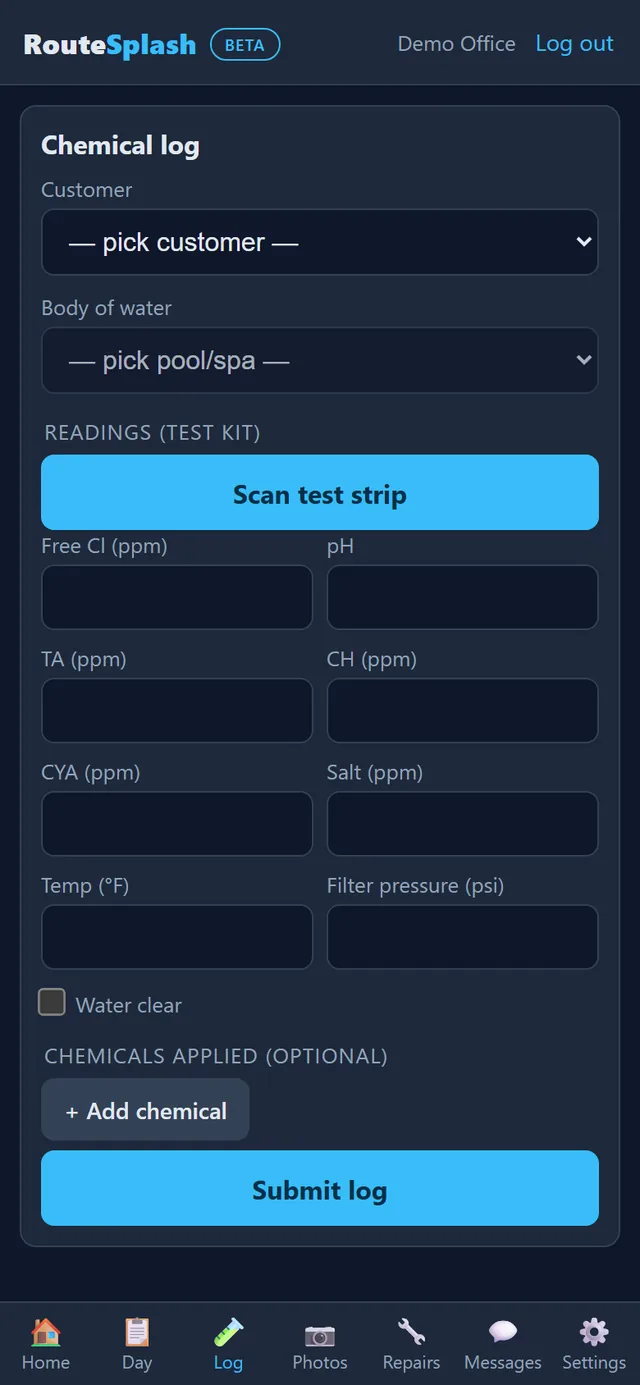
6Seconds later — the office and the homeowner have it
The reading is on the office's Water Readings page; an out-of-range value becomes an Alert. The photos and notes become a service report the homeowner can open from a text or in their portal, along with when the tech arrived and left and the GPS confirmation. The chemicals the tech used are queued for the month's invoice if that customer is billed for chemicals. The checklist stamps show on Task Checklists. Nobody typed any of it twice.
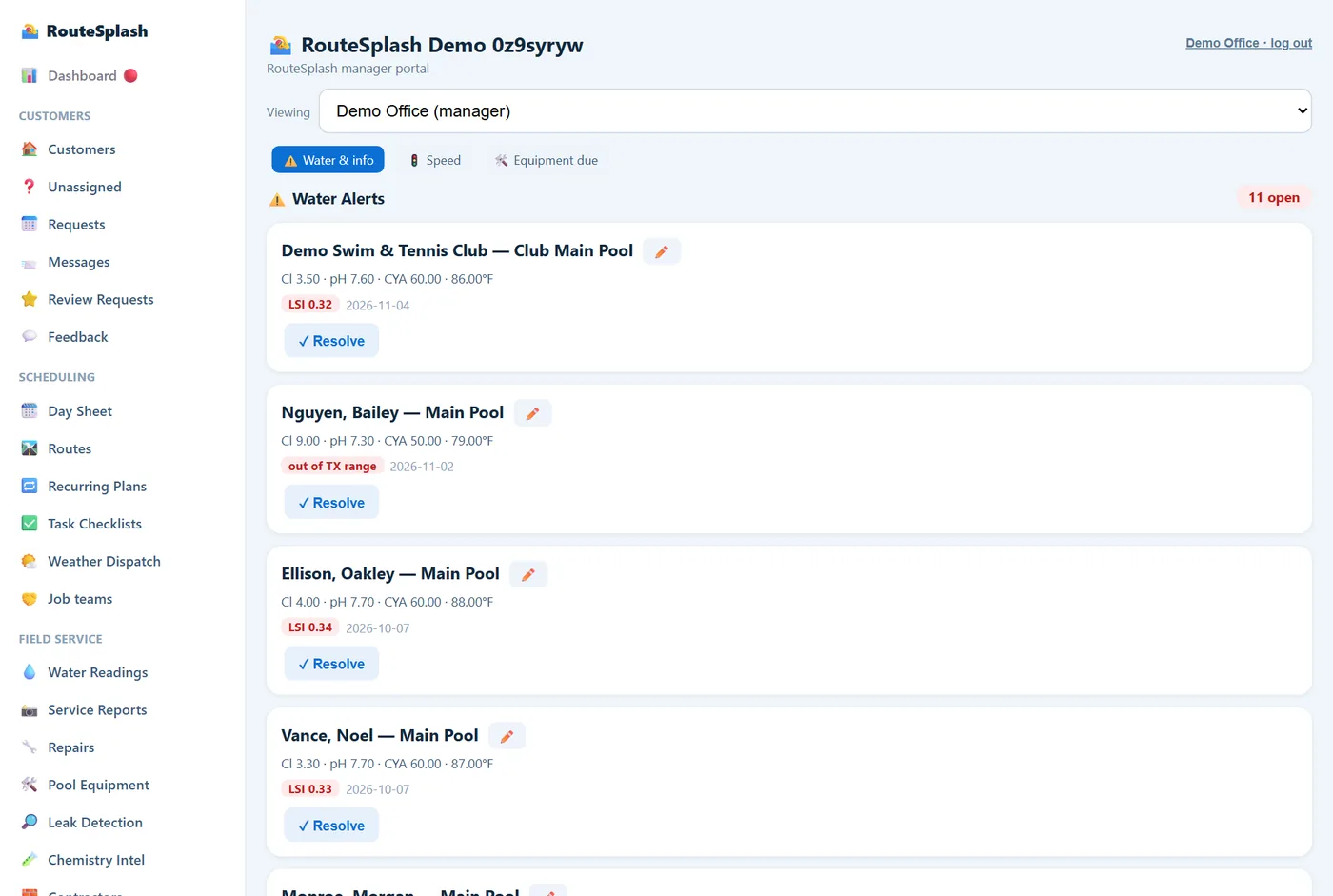
7Midday — a problem, a request, a nearby job
The tech finds a pump grinding and taps Problem. The office sees it as a request with a likely cause and a Best fit day and route, books the repair in one click, and the repair tech sees the job in their queue. A homeowner messages "losing water" through their portal; the request arrives with the answers to a few quick questions and the Problem Investigator's first opinion (normal evaporation, bucket test, or a likely leak). An open job turns out to be 0.4 miles from the tech's last stop, so Neighborhood Radar offers it to them for today — the day sheet shows work within 1.5 miles of the last finished stop, and one tap offers to cover it. On a stop the tech can also scan a product barcode to attach equipment to the customer, or walk the yard for a site survey with distances, area and markers for sprinklers and utilities. A repair the office schedules for a day lands on the assigned tech's stops that day, slotted where it adds the fewest miles or wherever the office prefers (or as a note on the customer's stop if they are already on the route); the tech can come back with a part on a new date, then mark it done, and the office bills it as a draft invoice. Repair jobs hold photos and videos, parts, labor, customer approval, deposits and a one-year equipment warranty. New prospects go into Leads, where the office follows new → contacted → quoted → won/lost and converts a won lead into a customer.
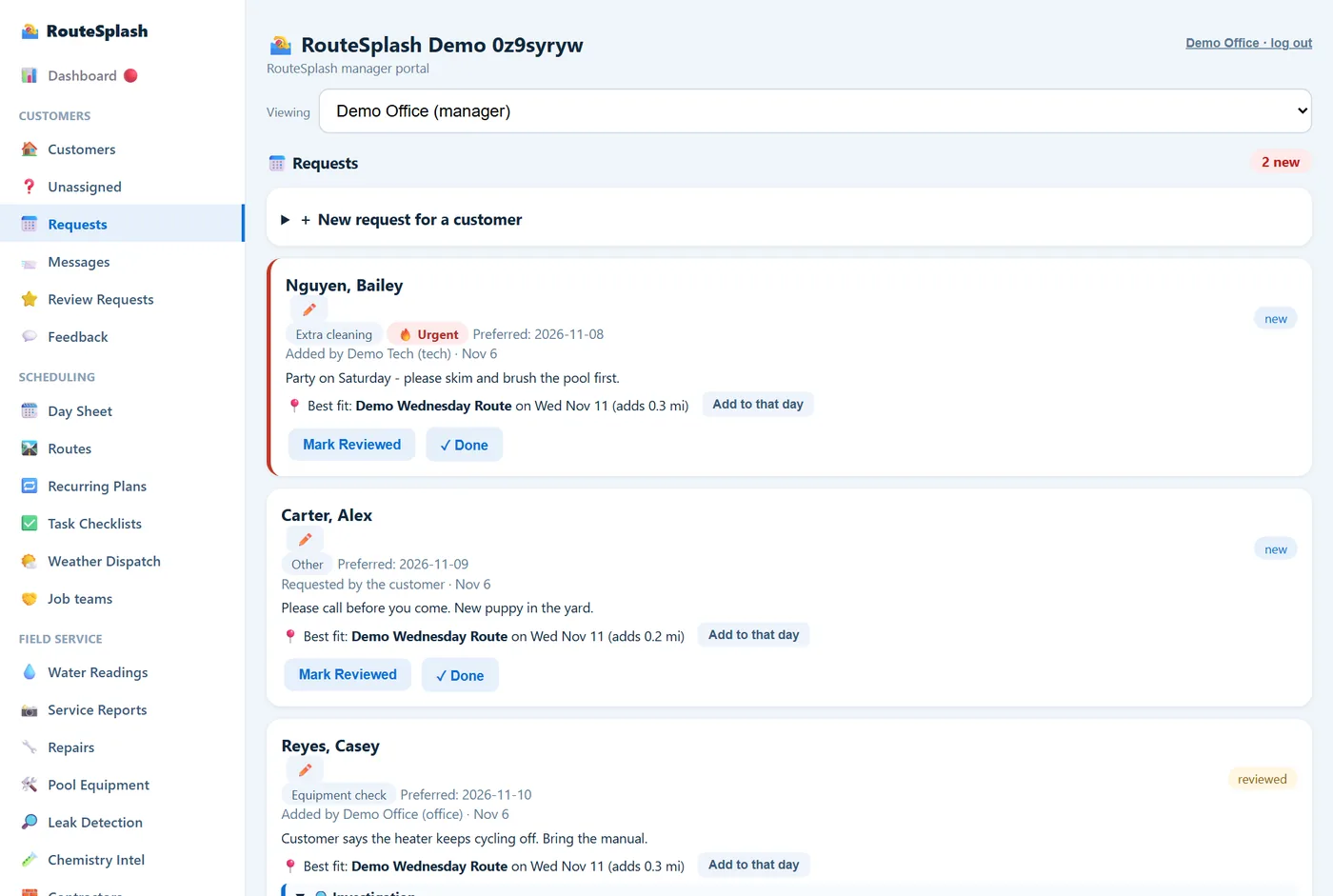
8Afternoon — a bigger job becomes a team
For a repair that needs an electrician, a leak job with a plumber, or a whole pool build, the office starts a job team: one shared page where your techs, the office and the outside contractors post updates, propose and accept appointment times, watch the phases, track permits and deliveries, and get email reminders. The contractor signs in at routesplash.com/contractors and sees only what you switched on for that job. A pool build fills in its 12 phases and 3 permits automatically from the start date.
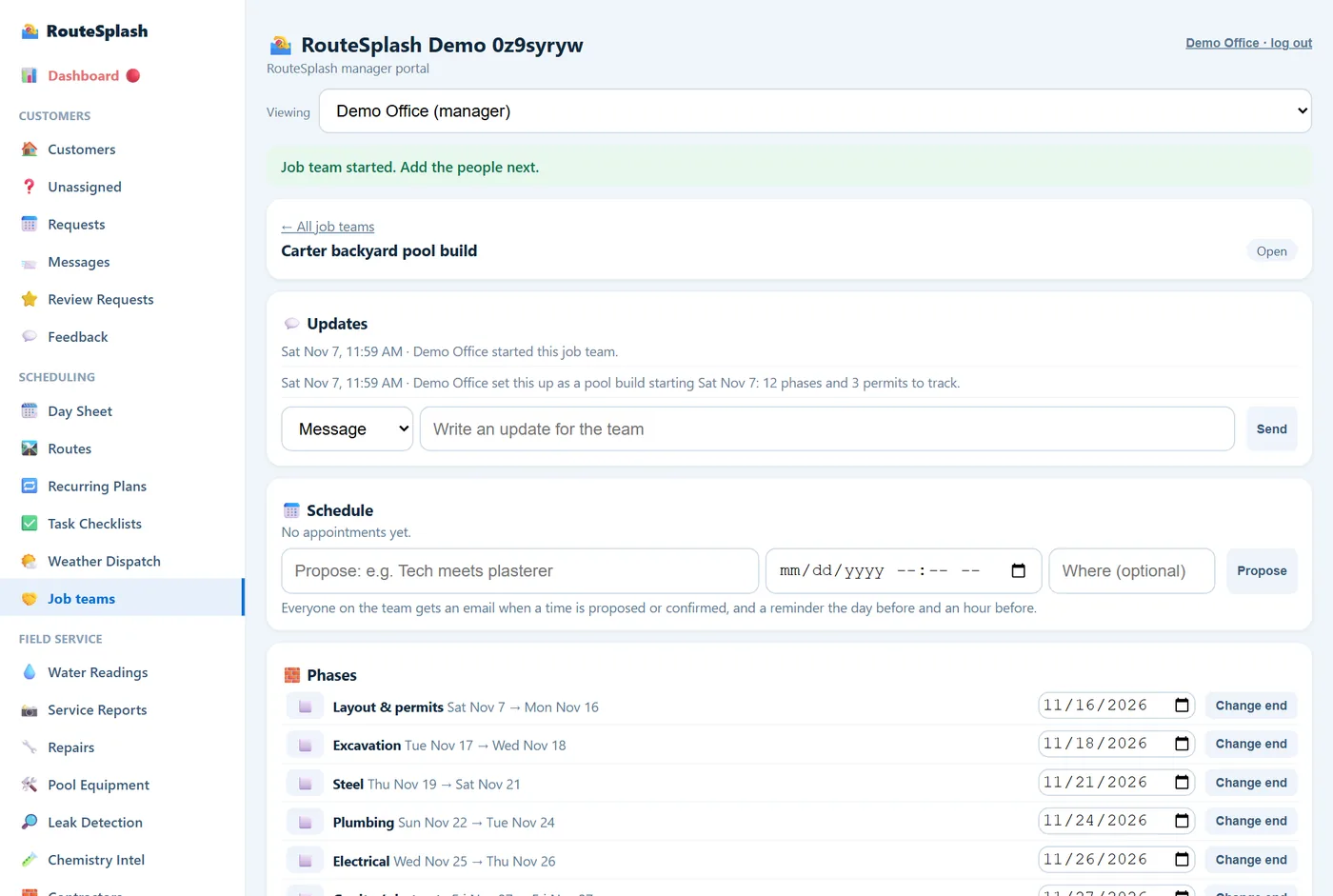
95:00 p.m. — clock out, hand off, review
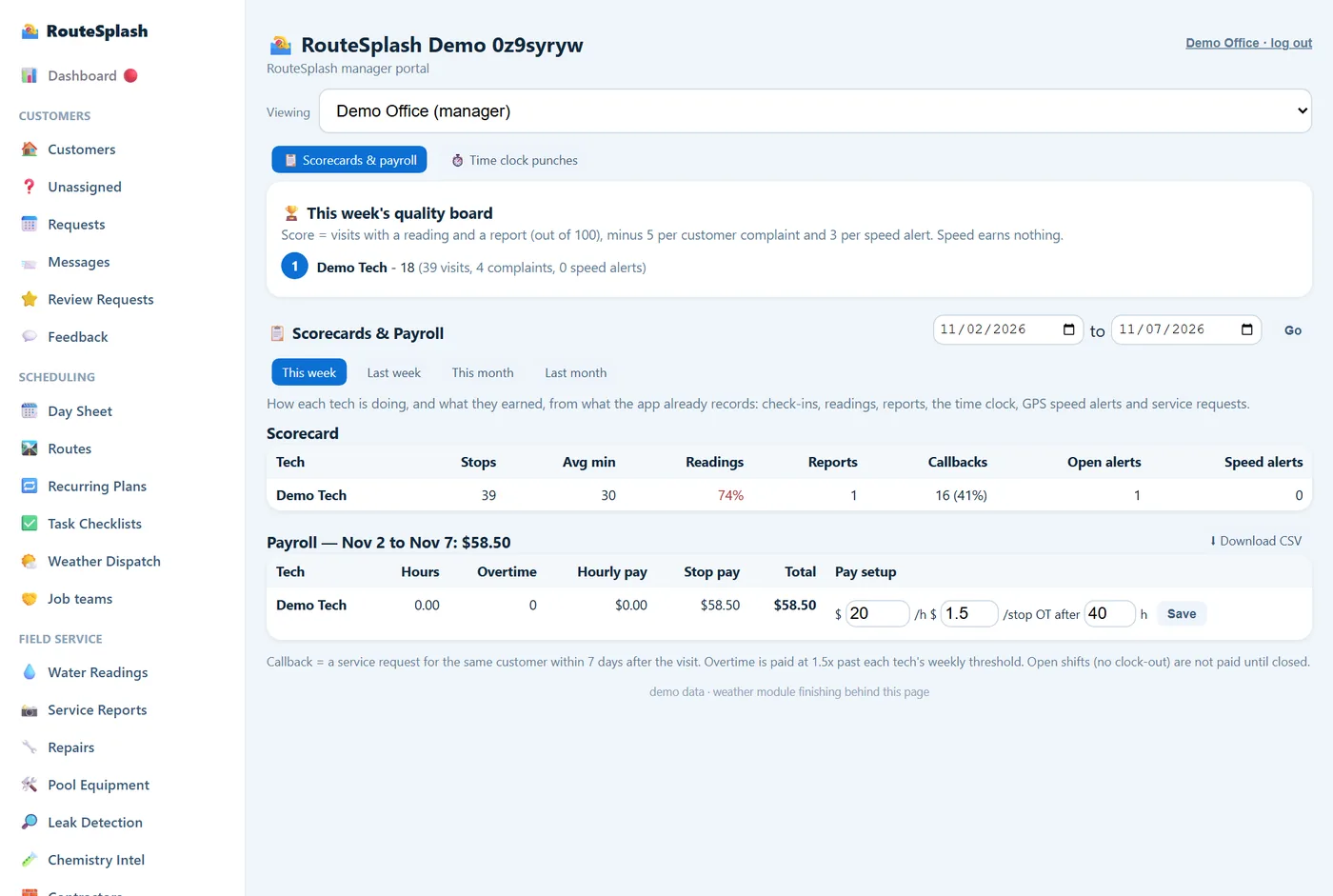
Throughout the day the app records the visit as it happens: geofence check-in and check-out, voice notes transcribed on the phone, and pool measuring — so the office sees real proof of every stop, not a claim. A yard walk-through (site survey) becomes a plan with distances, area and slope that the office can download as a spreadsheet or print as a PDF. Each stop builds the property history: arrival, GPS, readings, photos and checklist, so "did you even come?" is answered in seconds. The Morning Briefing also flags missed revenue, and a tech can open the customer's Pentair, Hayward or Jandy equipment controls from the stop. With a connected cloud account, supported settings can be changed. The Android app also has experimental Pentair Bluetooth and Jandy pump-WiFi control; Jandy Bluetooth is pairing/enumeration, not command writes, and Hayward local control is not built. The tech weighs the chemicals back in, leaves a hand-off note for the next driver and clocks out. Their hours, stops, readings filed and reports filed go to the scorecard, their badges update, and the weekly quality board moves. The office can send a review request to a happy customer (at most one per customer every 90 days). Overnight, optional 24/7 equipment monitoring reads opted-in customers' Pentair, Hayward or Jandy equipment each hour and warns the office about a freeze risk or a pump that stopped, and new Leads wait in the pipeline until someone follows up.
10Month-end — invoices go out, money comes in
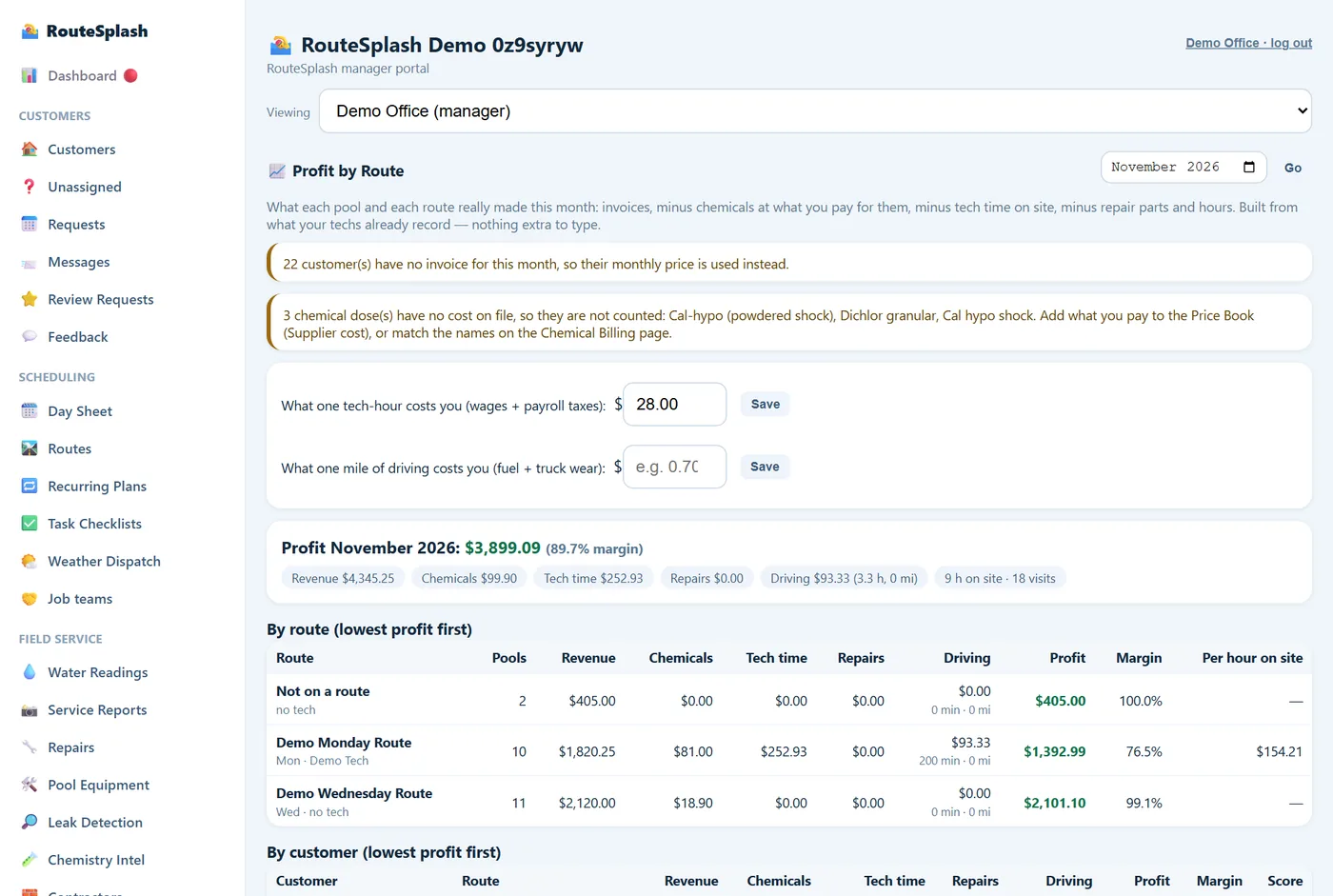
One step creates the month's service invoices for every customer, with the chemicals used added at your prices. Customers on AutoPay are charged the next morning through your own Stripe or Square account; everyone else gets a Pay Online link. Declined cards are retried for you. Once connected, QuickBooks Online two-way sync runs every 10 minutes or on Sync now: customers, invoices, payments and voids go out, while payments, voids and customer edits come back. Profit by Route then shows what each route and each customer actually made, with a grade and a suggested price where one is losing money.
What the homeowner sees
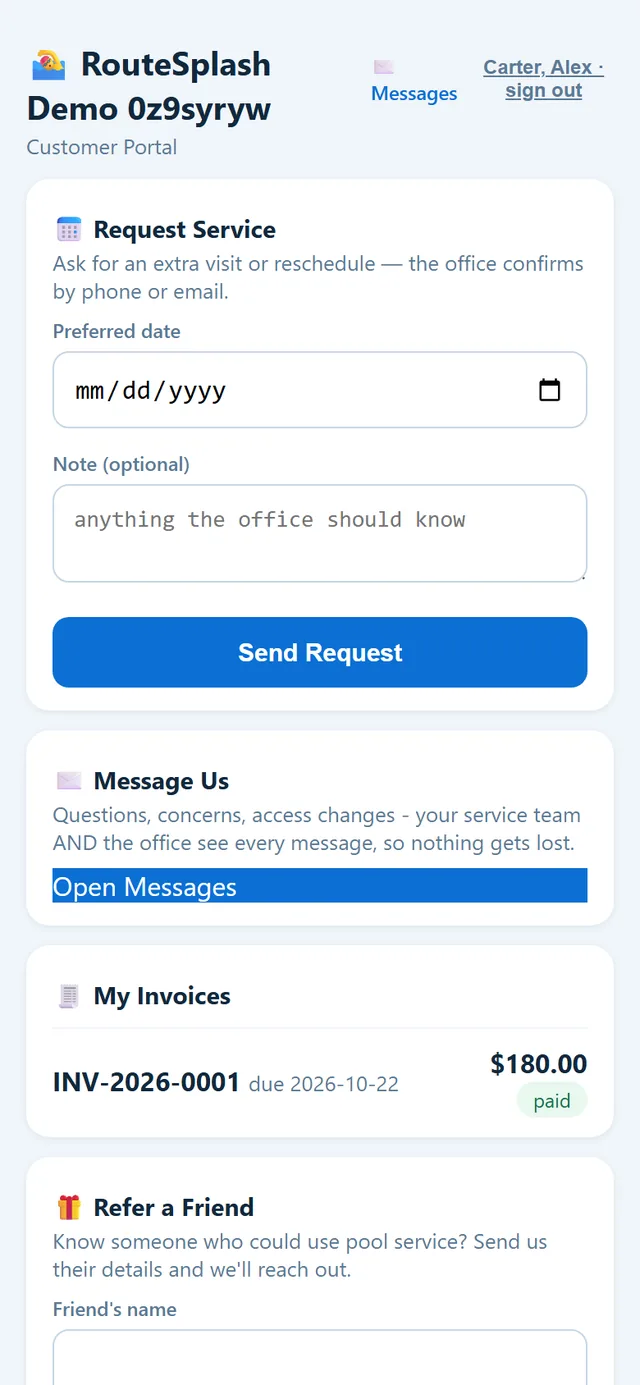
Your customers get a portal under your company name. They can request service or report a problem, message your office and their tech, see every service report with photos, watch their water readings, pay invoices or set up AutoPay, refer a friend, and read their Pool Passport (pool size, equipment and ages, service history, warranties). Gate codes, your internal notes and your prices are never shown.
Fewer "did you come today?" calls, because the answer is already in their hands.
What happens without signal
Pool equipment pads are behind houses, and signal drops. The Android app is built for that:
- Check-ins, chemical logs, photos, service reports, truck weigh-ins and messages are saved on the phone the moment you tap Save.
- They are sent automatically when signal returns, at sign-in, or when a screen loads. Nothing is lost, and nothing is sent twice.
- Settings → Queued offline items shows what is still waiting.
- The web app (iPhone, computer) needs a connection. An iPhone app is coming soon.
How the heads-ups are worked out
RouteSplash does not use AI. Every Pool Detective note, likely cause, callback-risk line, profitability grade and badge comes from fixed rules applied to your own records: the pool's readings over the last weeks, the forecast, the schedule, and the customer's requests and history. That means:
- Every heads-up shows its reason ("CYA fell 15 ppm with no rain: possible leak or hose left running"), so a tech can judge it.
- The same facts always give the same answer. Nothing is guessed or invented.
- It gets more useful as your records grow, because there is more history to compare against.
Your data, your money, your account
- Separate databases. Each company's records live in their own database. Nothing is pooled across companies except the opt-in shared product catalog, which carries product names and part numbers only and is scrubbed of every customer detail before anything is shared.
- Your own payment account. Card and bank payments go through your Stripe or Square account. RouteSplash never sees card numbers.
- Exports any time. Import & Export downloads customers, pools, equipment, chemical logs, service reports, invoices, quotes, repair jobs, recurring services and site surveys as CSV, alongside specialized compliance and QuickBooks files. Photos, videos, messages and every internal log are not included in that generic export.
- Roles, not trust. Six roles decide who can see prices, pay, profit or settings. The Admin can grant one exception where it makes sense.
- Encrypted sign-in on the phone. The app's login is stored encrypted, and updates install only from routesplash.com.
- Permanent records. Chemical logs cannot be edited or deleted, which is what a health inspector wants to see.
Getting started
- Create your company at routesplash.com/signup. 30 days free, everything unlocked, no card.
- Run the setup wizard: company profile, chemicals you carry, techs, checklists, roles, routes, customers and equipment, costs. Most companies finish in an afternoon.
- Bring your customers in from a spreadsheet, Square or QuickBooks (portal → Import & Export).
- Hand your techs the app. They sign in with the company name and the email and password you created for them.
- Run the first route. Then read the Operator Manual for everything else.
Questions people ask
Do I need special hardware to run RouteSplash?
No. Techs use the Android app or the web app on any phone. The office uses the manager portal in any web browser. There is nothing to install on a server.
Does RouteSplash work without cell signal?
The Android app does. Check-ins, chemical logs, photos, service reports, weigh-ins and messages are saved on the phone and sent when signal returns. The web app needs a connection.
Who owns the data in RouteSplash?
You do. Each company has its own separate database. You can export your customers, readings, invoices and reports at any time, and your card payments go through your own Stripe or Square account.
How long does setup take?
Most companies finish the eight-step setup wizard in an afternoon. Importing customers from a spreadsheet, Square or QuickBooks takes minutes, and techs can run their first route the same day.
Does RouteSplash use AI?
No. Every heads-up, suggestion and score comes from fixed rules applied to your own records: the pool's readings, the weather, the schedule and the customer's history. Nothing is guessed.